
Creating a custom breaknote in Futuri AudioAI is a straightforward process. Follow these steps and you will be generating content in minutes.
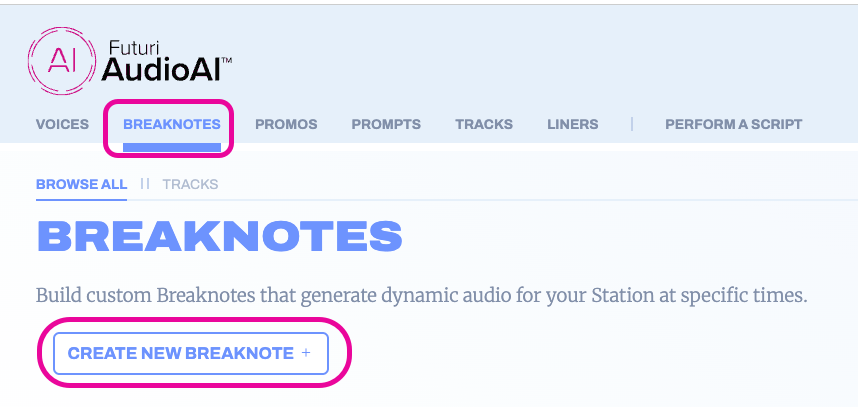
1. On the BREAKNOTES tab, click CREATE NEW BREAKNOTE.
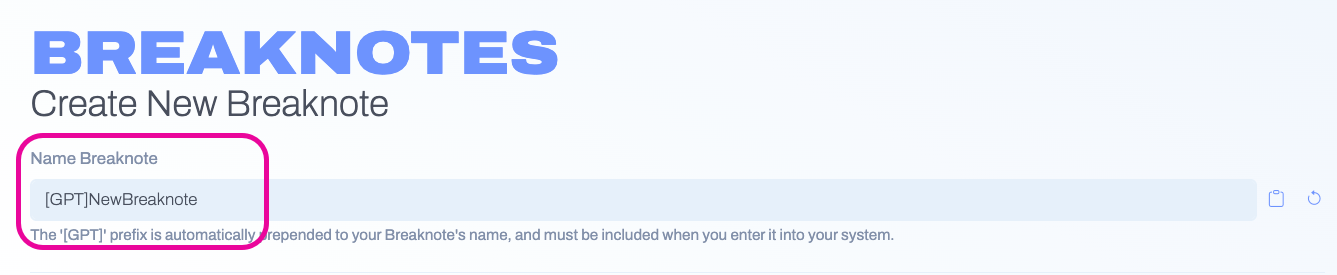
2. Enter an identifying name for your breaknote that you will use to call for the break in your automation system.
3. Using the drop-down menu, select a command to use in your breaknote, and then click ADD. Another menu will open to configure the specific settings for that command. Click APPLY CHANGES when done configuring.
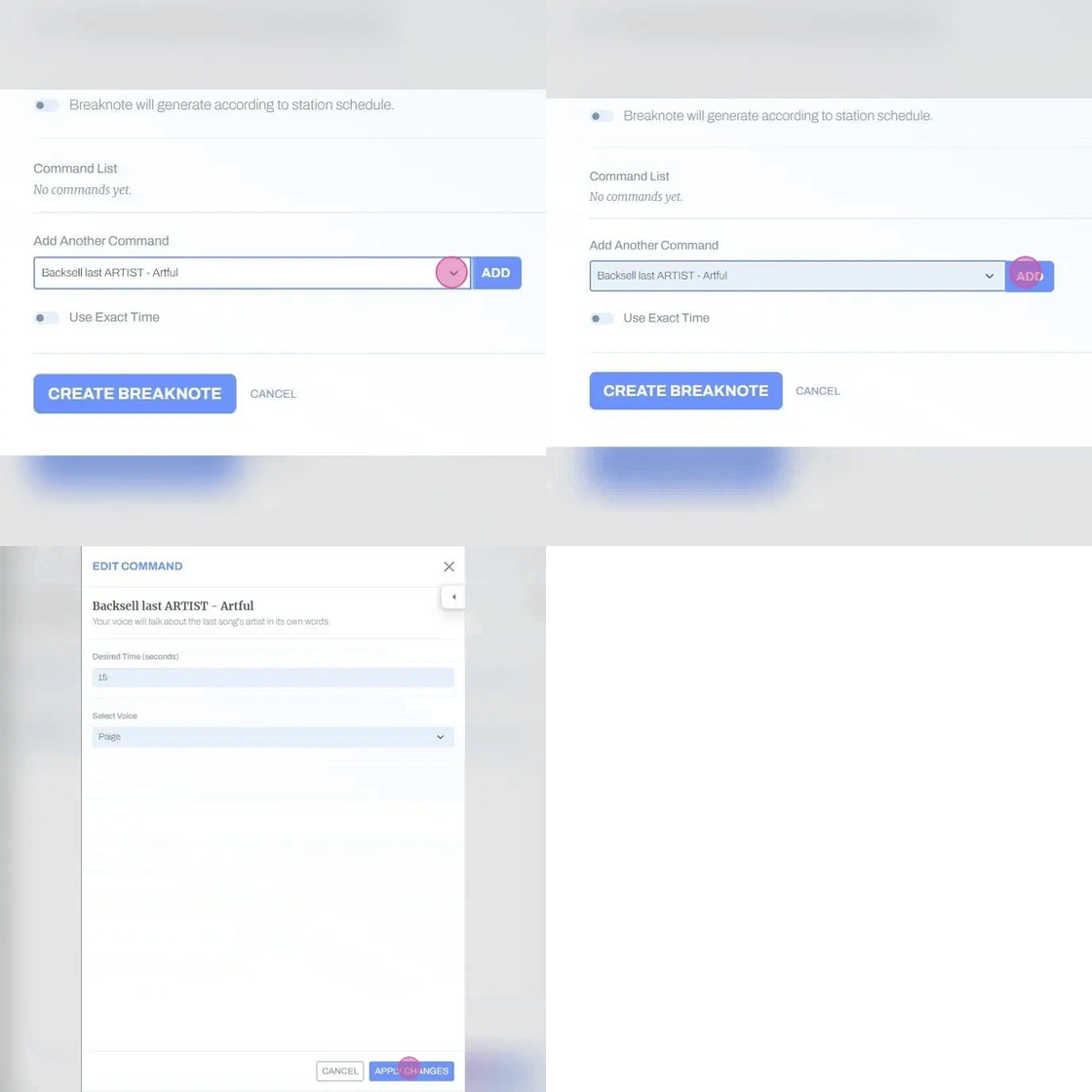
4. Add and configure additional commands as desired.

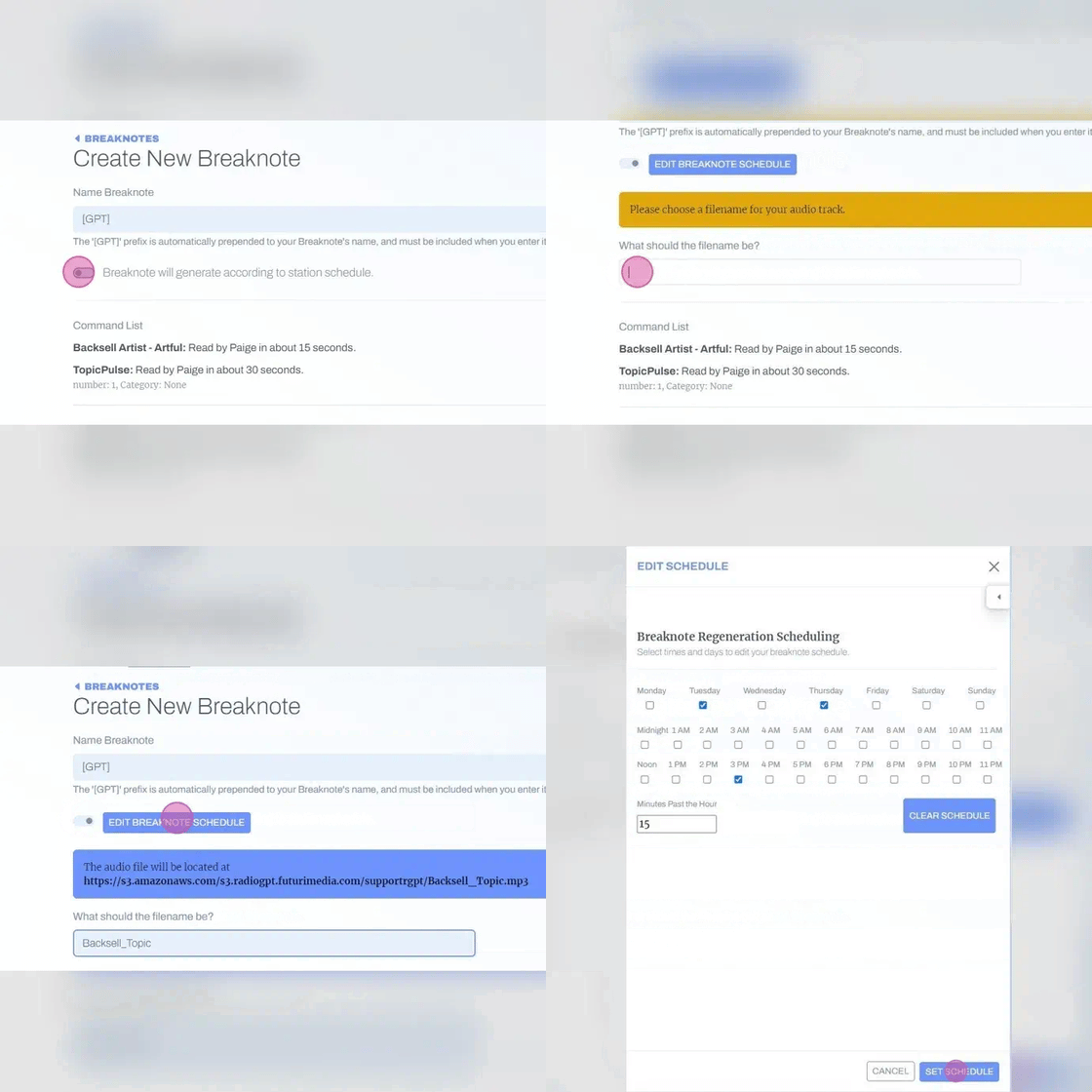
5. If your station uses the UAT integration, you will need to do the following:
- Turn on the toggle to generate breaknotes according to a schedule.
- Set the filename.
- Click EDIT BREAKNOTE SCHEDULE.
- Check the days, hours and minutes past the hour when the breaknote should generate.
- Click SET SCHEDULE to lock it in.
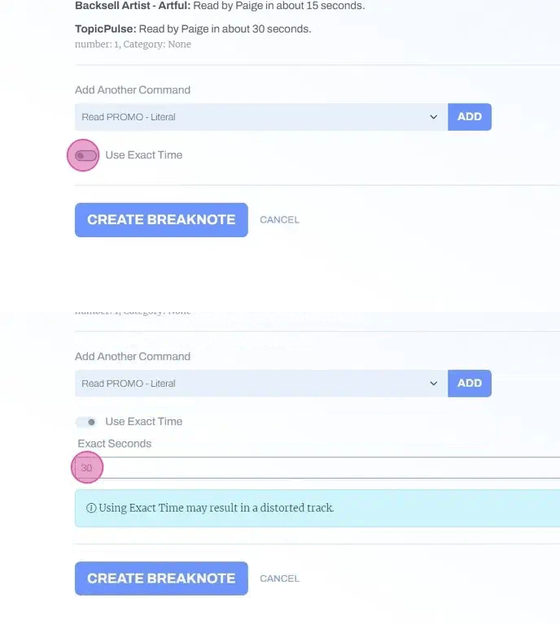
6. Optionally, if the breaknote needs to be an exact length, you can toggle on Use Exact Time and enter a time in seconds.
7. To save your work, click CREATE BREAKNOTE.
